
Tencent Cloud ADP Launches DeepSeek Harness Plugin: Seamlessly Empowering Desktop AI with Enterprise
Integrate Tencent Cloud ADP into the DeepSeek Harness (DSH) using open-source plugins, enabling users to instantly access enterprise AI applications, private knowledge bases, and the HY model directly within their everyday conversational tools.


With a single open-source plugin package, you can now connect Tencent Cloud Agent Development Platform (ADP) directly to DeepSeek Harness (DSH). Once installed, the AI applications, enterprise knowledge bases, and specialized search engines previously configured on Tencent Cloud ADP can be directly invoked by your local, desktop AI assistant.
Getting to Know Your Desktop AI Assistant: DeepSeek Harness
Let’s first understand this desktop assistant. Named DeepSeek Harness (DSH), it is an open-source AI agent framework created by DeepSeek.
Unlike standard conversational AI clients packaged as closed monolithic stacks, DSH adopts an "Everything is a Plugin" modular architecture. It does not enforce hardcoded runtime components—models, tools, persistent memory, sandboxes, and even sub-agents are modular plugins that can be mounted, hot-swapped, or replaced at will.
DSH natively focuses on three core responsibilities:
- Orchestrating models and tools across complex task flows;
- Requesting explicit human approval before executing any system-modifying or potentially dangerous actions;
- Tracking and maintaining structured execution plans throughout iterative goal loops.
All actual operational capabilities are provided by plugins. Spinning up DSH is remarkably lightweight—just run a single command in your terminal:
npx @deepseek-ai/dsh webThis immediately launches an interactive web workbench in your browser. However, a clean harness runtime needs domain plugins to execute meaningful enterprise tasks.
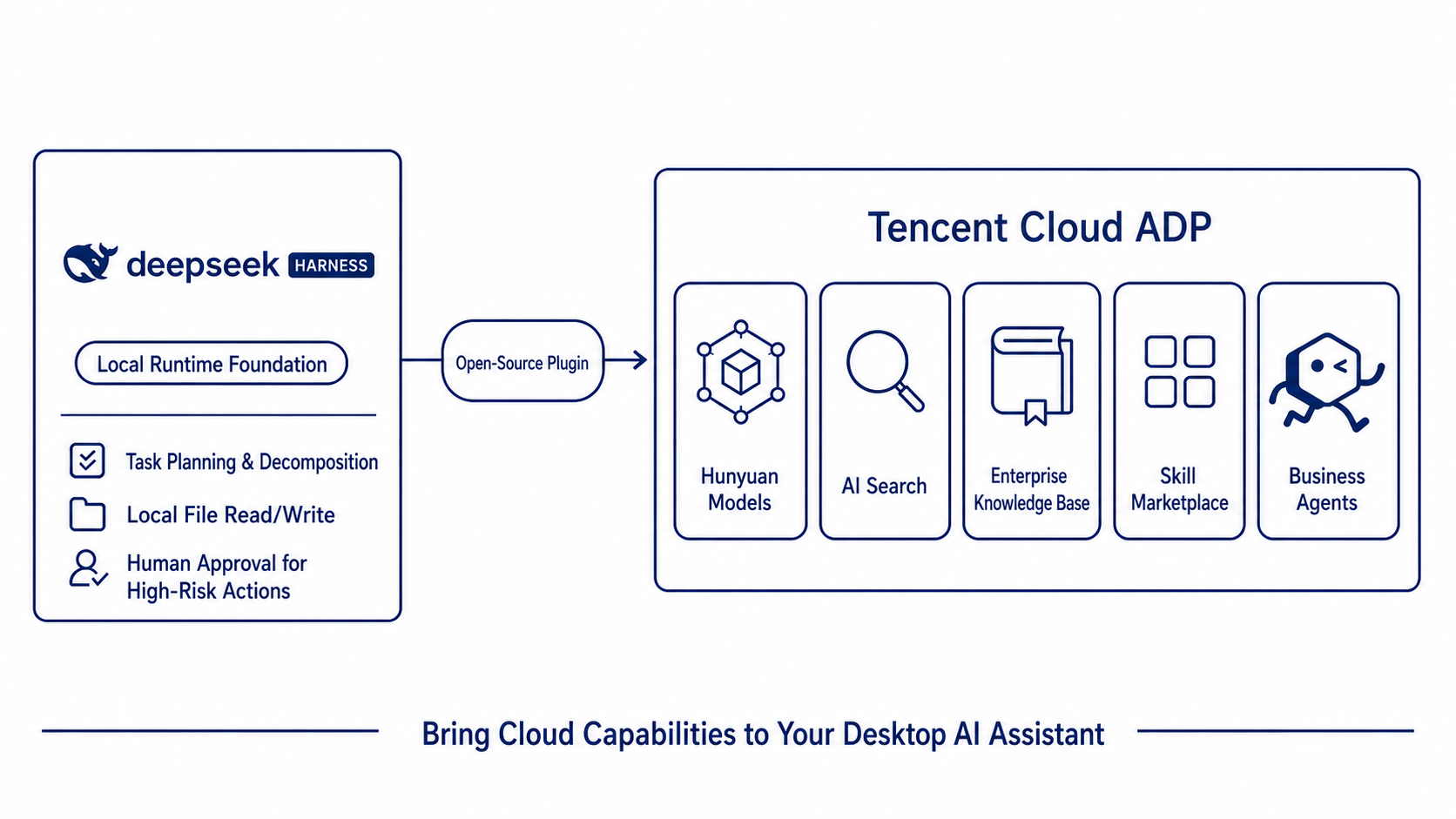
This is where Tencent Cloud ADP (Agent Development Platform) comes in: providing Hunyuan-series LLMs, authoritative real-time AI search, pre-built plugin marketplaces, skill hubs, and an array of published enterprise AI applications. This open-source plugin package integrates this entire cloud capability stack into DSH: DSH provides the lightweight local orchestration base, while ADP delivers the rich cloud enterprise capabilities.
Once configured, the desktop assistant is complete: capable of searching live web sources, calling your company's pre-built ADP applications, adopting team standard operating procedures (SOPs), and leveraging ready-made tool connectors.
1. Install One Plugin, Equip Your AI Assistant with Enterprise Knowledge
Many enterprises have already accumulated valuable digital assets on ADP: RAG-powered knowledge bases containing product specs, compliance guides, and customer service workflow agents.
The open-source @tencentcloudadp/dsh-adp plugin does something very straightforward: it binds these pre-built applications and skills directly to the DSH assistant running on your local machine. Employees simply assign tasks within the chat interface, and the assistant handles execution.
Crucially, it adheres to a reassuring security principle: Whenever an operation involves modifying system states or cloud resources, the agent pauses and asks for your explicit confirmation before proceeding.
Bringing enterprise assets directly to desktop AI assistants ensures your team actually uses what has been built.
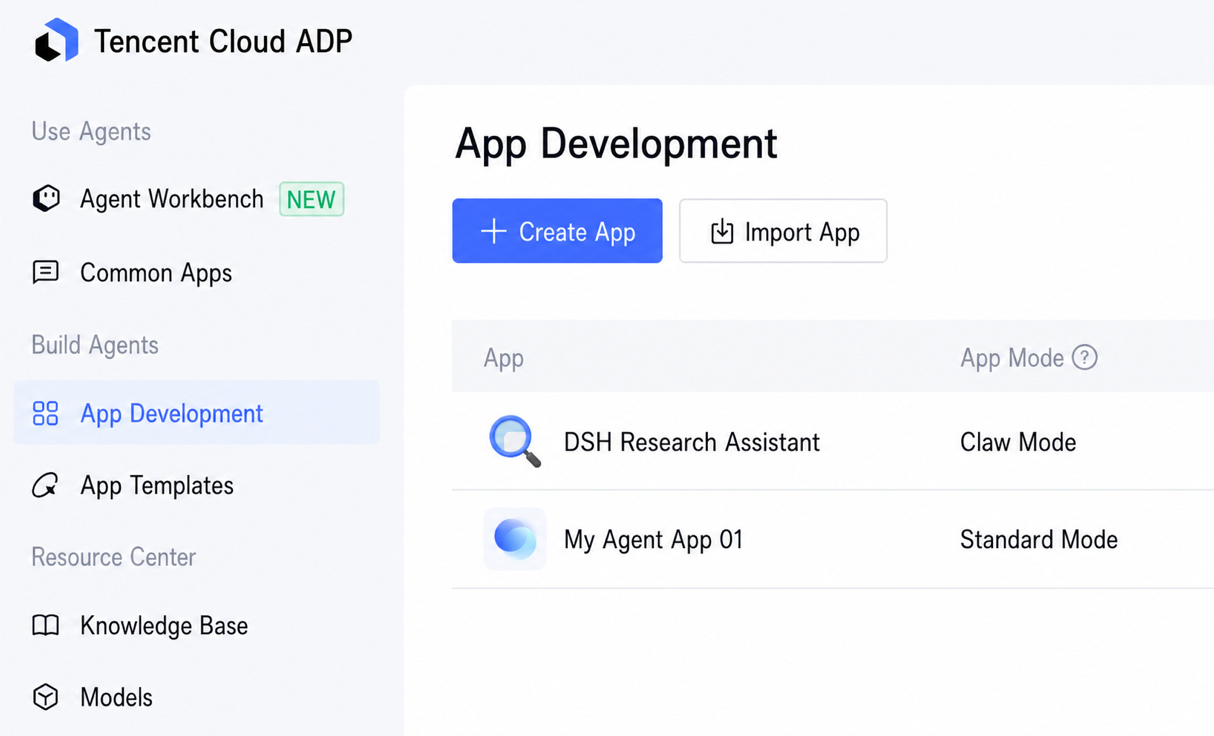
2. Four Core Capabilities Unlocked
After installing the plugin, your desktop assistant immediately gains four major capabilities:
- Live Web Research: Scans news, industry media, and e-commerce trends in real time to fetch verified, up-to-date data.
- Invoking Pre-built Enterprise Applications: Seamlessly calls agents and workflows published on ADP as native tools, requiring zero duplicate development.
- Applying Team SOPs and Knowledge: Incorporates internal user manuals, operational guidelines, and analysis templates from ADP's Skill Hub into standard prompt context.
- Extensible Tool Ecosystem: Pulls in ready-to-use API tools and Model Context Protocol (MCP) connectors directly from the ADP marketplace.
| Core Capability | Underlying ADP Technology | Concrete Business Value |
|---|---|---|
| Real-time AI Search | Hunyuan AI Search Engine | Fetches authoritative industry news, trends, and market data in real time to eliminate model hallucinations. |
| Enterprise App Invocation | Published ADP Agents & Workflows | Cloud-deployed Q&A bots and business workflows act directly as callable tools with zero code refactoring. |
| Team Skill Knowledge | Skill Hub & Standard SOPs | Transforms standard operating procedures and documentation into expert background knowledge for the assistant. |
| Tool & Connector Ecosystem | ADP Plugin Marketplace & MCP Connectors | Rapidly integrates internal business systems, microservices, and third-party data APIs. |
All of these capabilities are available out-of-the-box without extra development. The real business ROI: The cloud applications and knowledge bases your team previously built now become everyday productivity drivers for every employee.
3. Real-World Scenario: Joe's Daily Competitor Briefing
Joe manages a consumer electronics company with around 200 employees. Every Monday morning, executive meetings brought the same stressful inquiry: "How did our competitor’s new launch perform over the weekend?" Struggling to answer immediately placed him at a disadvantage.
His company had previously built an enterprise product Q&A application on ADP containing their entire product manual catalog. It worked well, but was rarely used outside customer support.
After installing the DSH plugin, Joe gave his local AI assistant a single instruction:
"Track our competitors' key product updates and pricing shifts daily. Compare them against our own product catalog, and deliver a 1-page briefing to my computer every morning."
From that day on, an automated briefing was ready at 8:30 AM every morning:
- The AI assistant scans e-commerce dynamics, industry tech publications, and competitor press releases;
- If a competitor drops prices or releases a product, the assistant calls the company's ADP product knowledge application to cross-examine feature advantages and gaps;
- It synthesizes the findings into a concise one-page report formatted according to the marketing team's standard template.
When a competitor quietly lowered the price of two water purifier models on a Sunday evening, Joe arrived at the office Monday morning with the briefing already on his screen.
Later, the marketing team adopted the exact same workflow. Joe asked the AI assistant to publish this routine as a formal enterprise application on ADP. Before deploying, the assistant paused and prompted for his explicit approval.
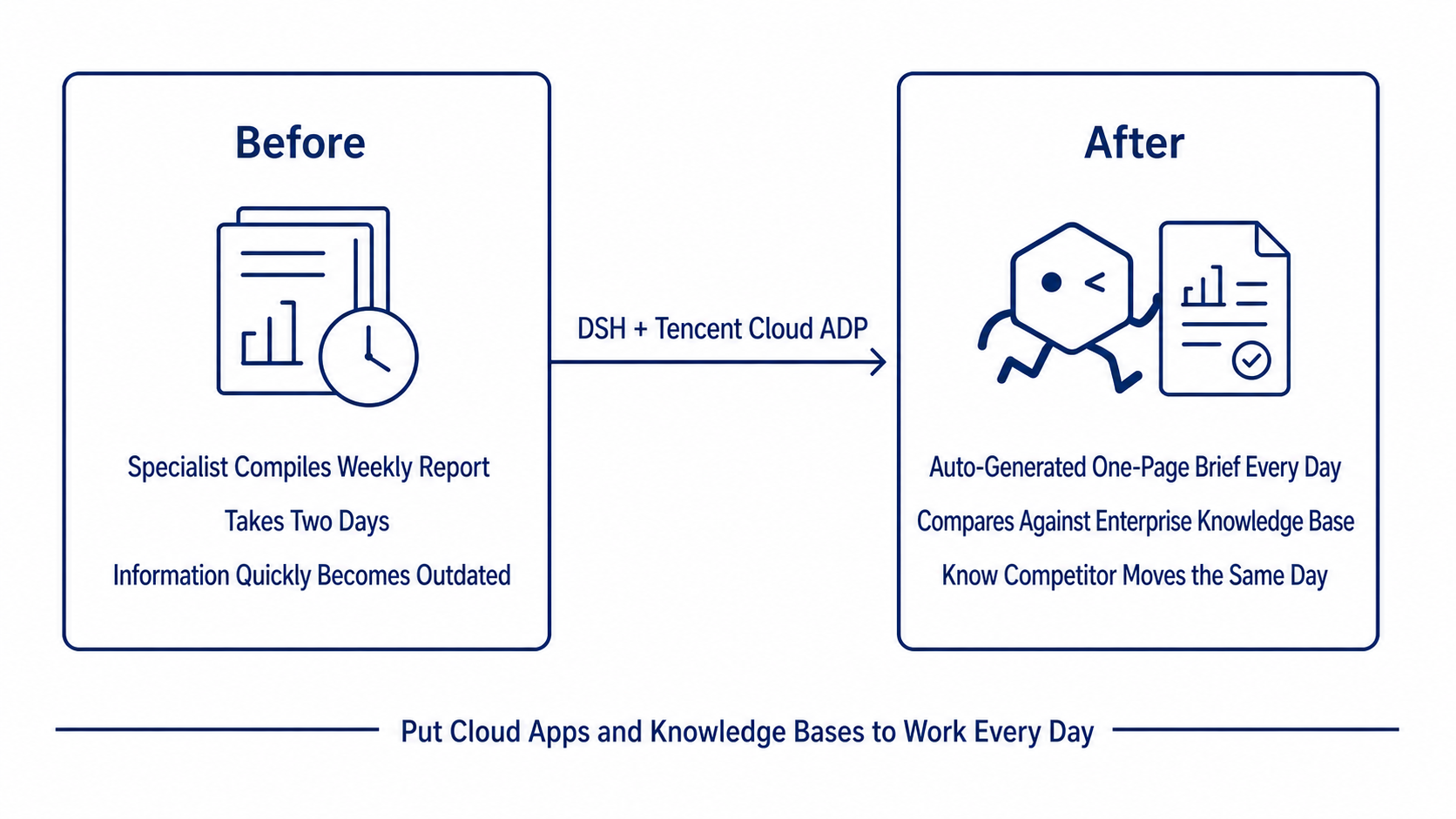
Before: A dedicated marketing specialist spent two full days compiling a weekly report.After: A one-page briefing generated automatically every single morning. The underutilized knowledge base application became an everyday company-wide asset with zero additional headcount.
4. Getting Started: 6-Step Setup Guide
The entire setup requires zero coding—just copy and paste. Any technical team member can complete the integration in minutes.
Step 1: Launch DeepSeek Harness (DSH)
DeepSeek Harness (DSH) is open source and free. Ensure you have Node.js (v18 or higher recommended) installed, open your terminal, and run:
npm install -g @deepseek-ai/dsh
dsh web
This starts a local instance (not exposed to the public internet) and opens the workbench UI in your browser. Once verified, press Ctrl + C in the terminal to stop the process and proceed with the plugin installation.
Step 2: Set Up Tencent Cloud ADP
Register for a Tencent Cloud account, complete identity verification, and open the Agent Development Platform (ADP):
- Global / Standalone Portal: adp.tencentcloud.com or adp.tencent.com
- Public Cloud Portal: adp.cloud.tencent.com
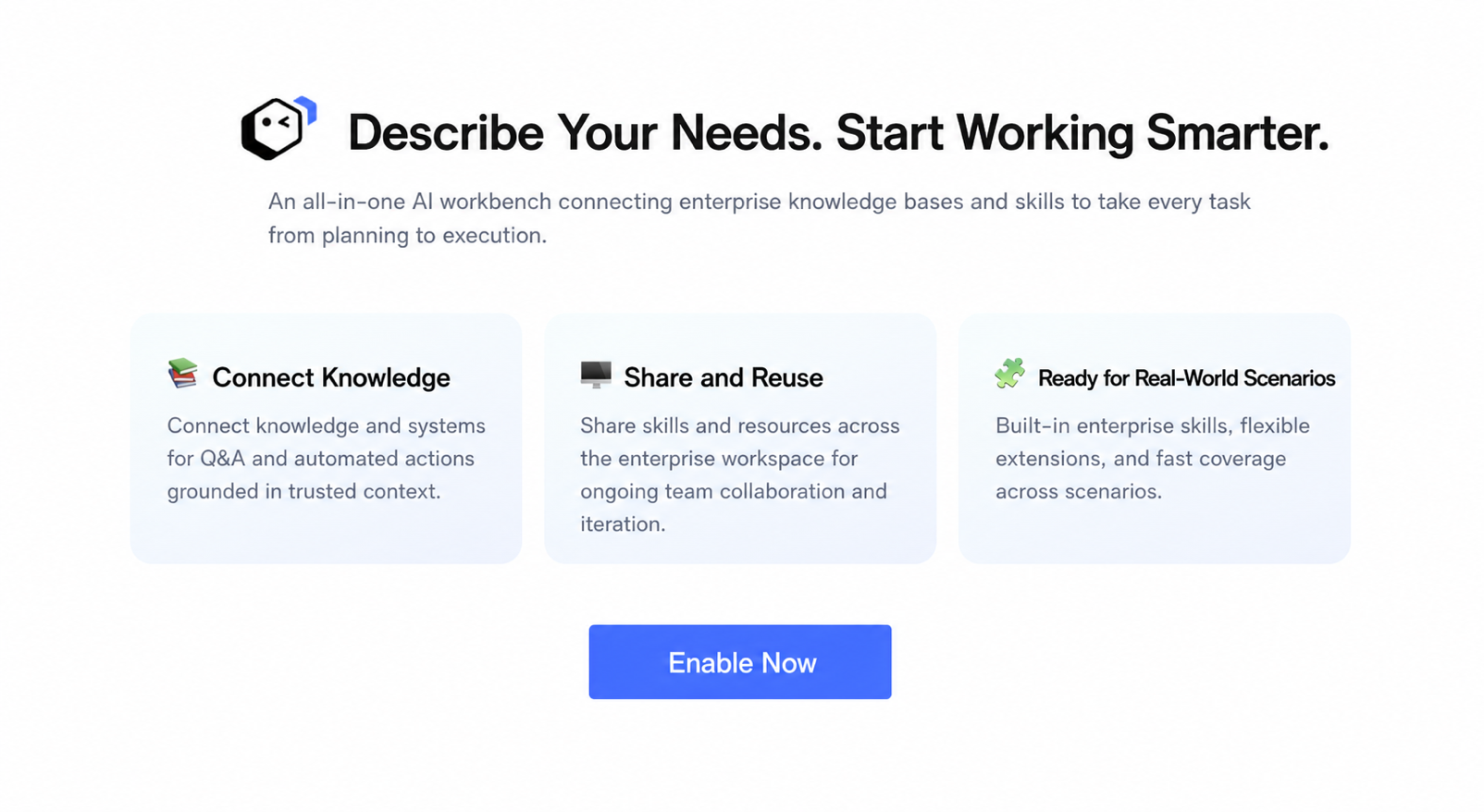
On initial login, click Enable Now. The platform automatically creates an enterprise organization and a default workspace.
Step 3: Retrieve ADP API Credentials
The ADP plugin uses three types of credentials depending on the capabilities required:
| Credential Name | Core Purpose | Official Access & Guide |
|---|---|---|
Tool API Key ADP_API_KEY | Model chat, AI search, and general tool calls | In the ADP console under Key Management > click Create Tool API Key: adp.tencentcloud.com/adp#/key-manage / adp.tencent.com/adp#/key-manage or adp.cloud.tencent.com/adp#/key-manage |
Control Plane Keys ADP_SECRET_ID / KEY | Enumerate spaces, models, plugins, and app catalogs | Standalone / Global: ADP Console > Key Management (Top-right avatar > Enterprise Management > Key Management)<br>Public Cloud: Tencent Cloud CAM API Keys |
App Key ADP_APP_KEY (Optional) | Bind a specific published app as a dedicated chat tool | App Release → Service Status → API Management to copy the corresponding AppKey |
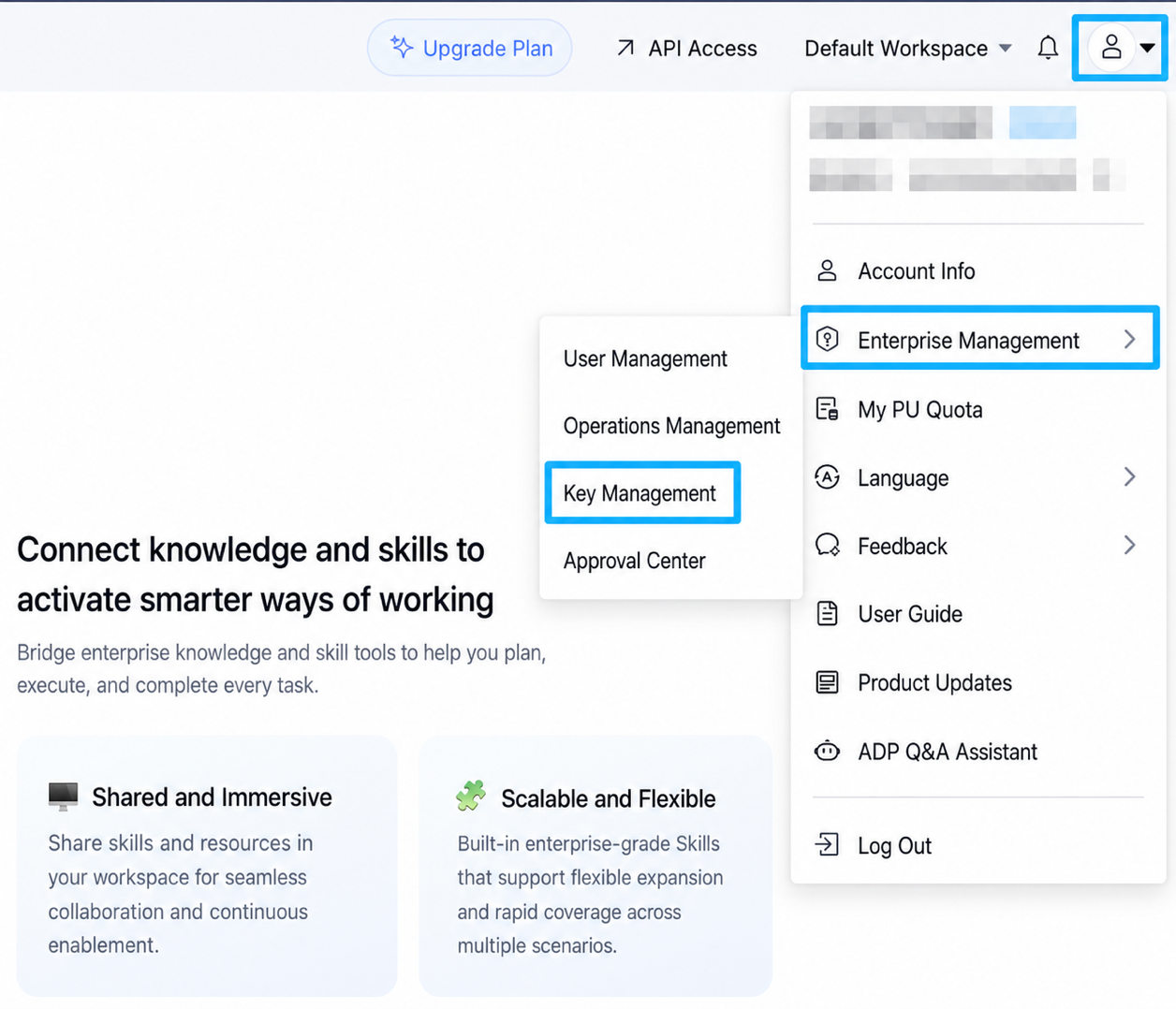
Security Note: API keys are displayed only once upon creation. Please store them securely.
Step 4: Install the ADP Plugin
Open your terminal and run the following commands to install the plugin and restart DSH. Keep the instance running on your local machine—never expose it directly to the public web so your API keys remain protected locally.
# 1. Install the plugin into your DSH Web instance
dsh plugin --profile web add @tencentcloudadp/dsh-adp

# 2. Restart DSH service
dsh web
Step 5: Configure Credentials in DSH Settings
- Open the DSH Web UI, navigate to the settings page, and find Tencent Cloud ADP under Plugin Configuration;
- Select your deployment site (Standalone / Global or Public Cloud), paste the API keys generated in Step 3, and save;
- DSH will automatically list your organization's workspaces; select the target Workspace to bind.
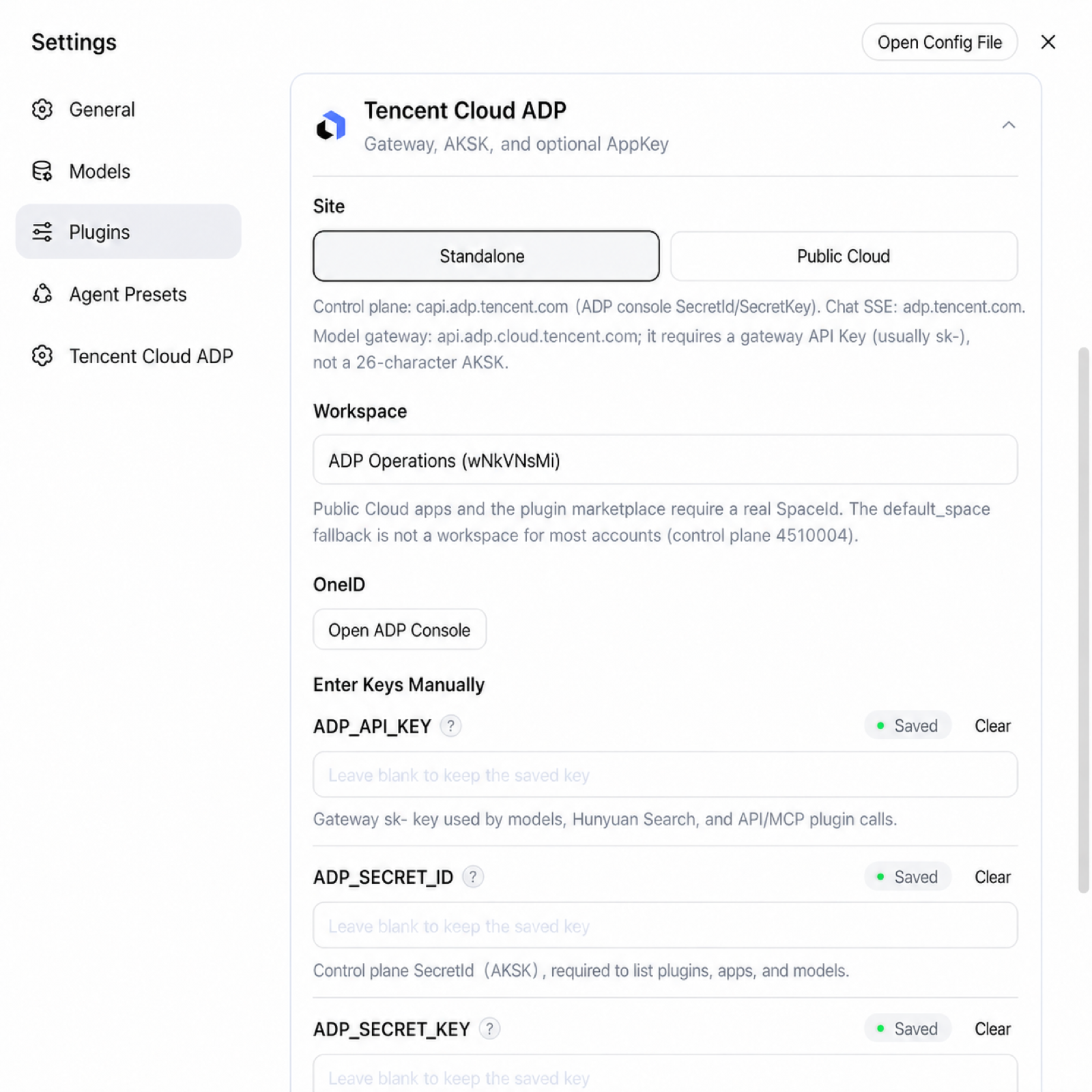
Once saved, Hunyuan models, live web search, marketplace plugins, and your published applications become directly accessible.
Step 6: Start Using the Assistant
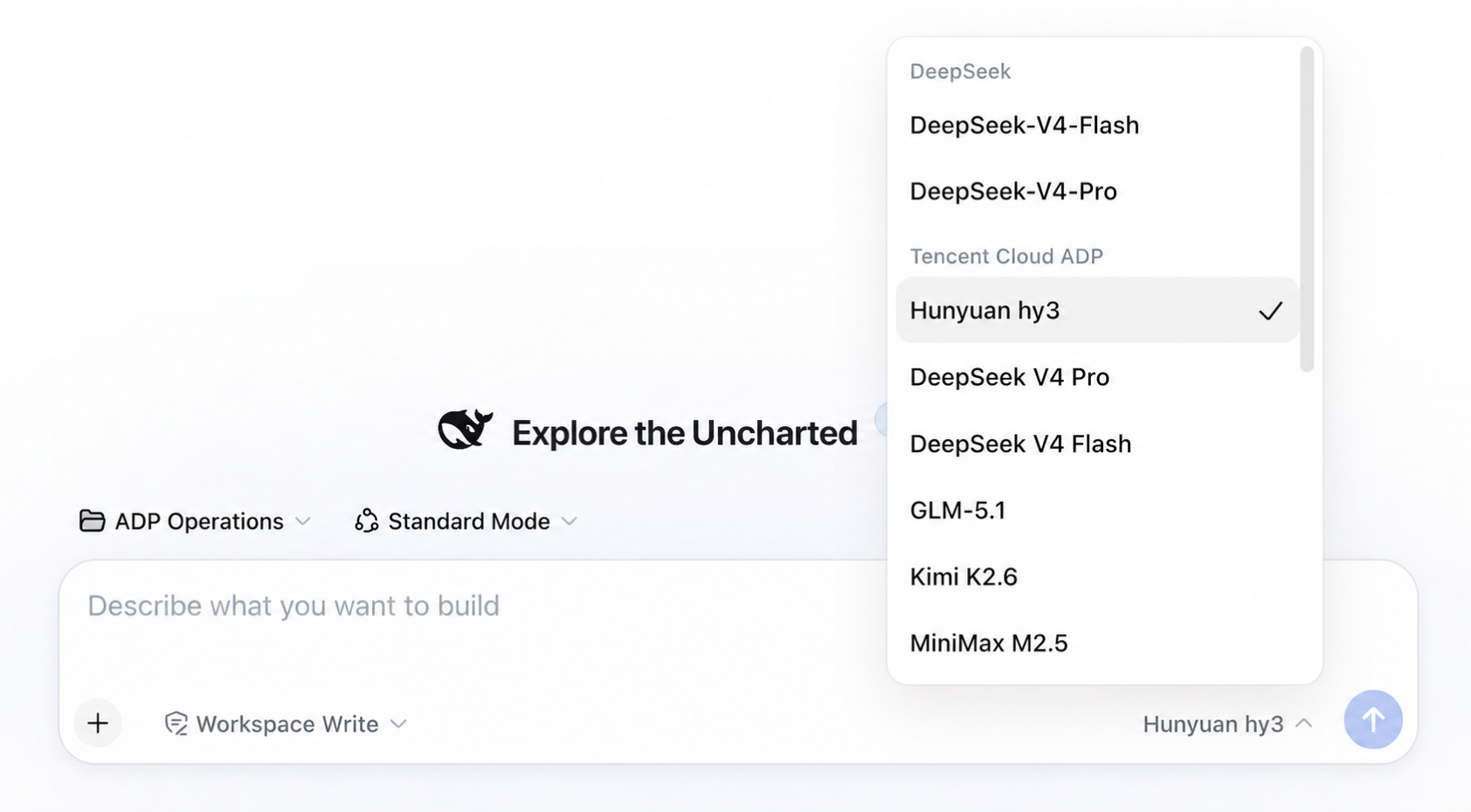
- Chat and Query: Ask questions directly in the chat window;
- Switch Models: Use the model selector dropdown in the bottom-left corner of the input box to select gateway models under the Tencent Cloud ADP group (e.g.,
Tencent Hy3); - Delegate Business Tasks: Instruct the assistant to query your cloud-hosted knowledge bases or invoke specific business agents;
- Publish Applications: When you ask the assistant to publish a workflow into an enterprise app for the whole team, it will pause and await your one-click approval before taking action.
Open Source Repositories & Resources
We welcome stars, issues, and pull requests!
- Plugin GitHub Repository: GitHub - TencentCloudADP/Tencent-ADP-dsh-plugin
- Tencent Cloud ADP Official Documentation: cloud.tencent.com/document/product/1759
- DeepSeek Harness GitHub Repository: GitHub - deepseek-ai/dsh

Start building today
If you need more support, please contact us